Process
Website redesign checklist: when and how to redo your site
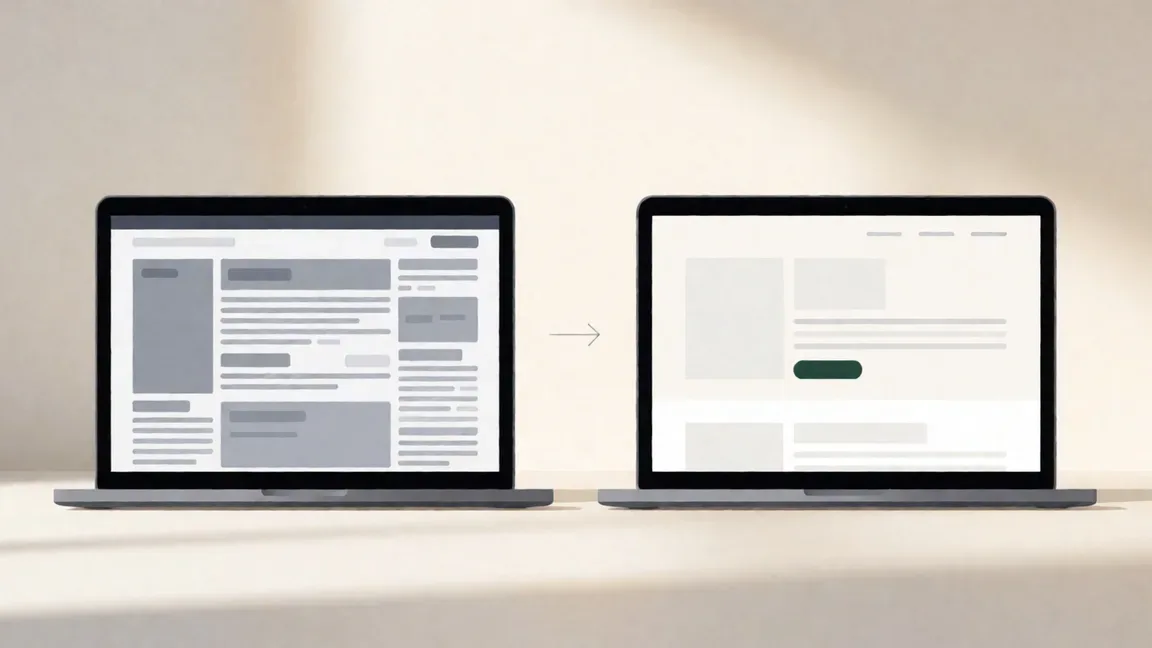
Most websites don't break all at once. They just get a bit slower, a bit more dated and a bit harder to update, until one day you're quietly embarrassed to send someone the link.
That feeling is worth listening to. But it doesn't always mean you need a full rebuild. Sometimes a refresh will do the job for a fraction of the cost.
So how do you tell the difference? Count the warning signs. If your site shows six or more of the eight signs below, a full redesign will usually cost less than patching it. Three to five signs means a targeted refresh. Two or fewer, and you're probably fine with small fixes.
We'll start with the signs and a quick website redesign checklist to score your site. Then we'll walk through how to plan the redesign so you don't lose your Google rankings or blow the budget.
8 signs you need a website redesign
One of these on its own isn't a crisis. Several together usually are.
1. Visitors leave key pages straight away
Check your analytics. If people land on your homepage or service pages and leave without clicking anything, the page isn't doing its job. That's your bounce rate, and a high one on your most important pages is a red flag.
2. People have to pinch and zoom on their phone
Open your site on your phone right now. If you need to zoom in to read the text or tap a button, most of your visitors are having a bad time. Mobile isn't a nice-to-have anymore.
3. Your branding has moved on, but your site hasn't
New logo, new services, new prices, new team. If your website still describes the business you were three years ago, it's sending people the wrong message.
4. Pages take longer than 3 seconds to load
Slow sites lose visitors before they've seen anything. Run your site through Google's free PageSpeed Insights tool and see where you land.
5. You need a developer for every small change
Updating your opening hours shouldn't need a support ticket. If simple edits are a hassle, you'll stop making them, and the site will drift further out of date.
6. Your competitors' sites look better
Your customers compare. If a competitor's site looks more professional and easier to use, that's where the enquiry goes.
7. Enquiries are flat or dropping
If your traffic is steady but enquiries are falling, the site is losing people somewhere between landing and contacting you.
8. The site is more than 3 years old
Age alone isn't a reason to redesign. But most sites built three or more years ago are showing at least a few of the signs above.
The 5-minute website redesign checklist
Go through the eight signs and tick each one that applies to your site.
- High bounce rate on key pages
- Hard to use on a phone
- Branding no longer matches the business
- Pages take more than 3 seconds to load
- Simple updates need a developer
- Competitors' sites look better
- Enquiries are flat or dropping
- The site is 3+ years old
Now count your ticks.
| Ticks | What it means | What to do |
|---|---|---|
| 0–2 | Your site is in decent shape | Make small, targeted improvements |
| 3–5 | It's starting to hold you back | Plan a refresh of the weakest pages |
| 6–8 | It's costing you work | A full redesign. Patching will cost more |
How to plan a website redesign, step by step
Decided it's time? Good planning is what separates a redesign that pays for itself from one that just looks nicer. Here's the website redesign process we'd follow.
Step 1: Audit your current site. Look at what's working before you change anything. Which pages get the most traffic? Which ones bring in enquiries? Where do people drop off? Your analytics will tell you most of this.
Step 2: Define your goals. "Make it look better" isn't a goal. "Get more quote requests from the services page" is. Write down two or three things the new site needs to achieve.
Step 3: Take a content inventory. List every page on your current site and mark it keep, update or remove. You'll usually find pages nobody has looked at in years.
Step 4: Document your current SEO. Note which pages rank on Google and for which searches. Google Search Console shows this for free. These are the pages you'll need to protect.
Step 5: Look at your competitors. Not to copy them, but to see what your customers are used to and where you can stand out.
Step 6: Choose reskin, redesign or rebuild. A reskin changes the look but keeps the structure. A redesign rethinks the layout and content. A rebuild starts again on a new platform. Your checklist score from earlier will point you in the right direction.
Step 7: Map your URLs. Make a list of every old page address and where it will live on the new site. This is the step people skip, and it's the one that protects your rankings. Every old URL that moves needs a 301 redirect to its new home.
Step 8: Set a budget. Include the build, any new content or photography and the first year of hosting and maintenance.
Step 9: Get quotes. Ask at least two or three studios, and compare what's included, not just the price.
Step 10: Plan the launch. Pick a quiet time for your business, test the redirects on launch day and keep an eye on Search Console for the following few weeks.
What a website redesign costs in Australia
The price depends on how much you're changing.
| Type of work | Typical cost (AUD, ex GST) | What it involves |
|---|---|---|
| Reskin or refresh | $2,000–$5,000 | New look, same structure and content |
| Full redesign | $5,000–$15,000 | New layout, updated content, better user flow |
| Rebuild | $10,000–$40,000+ | New platform, new structure, often new features |
Don't forget the running costs on top of the build. Our guides to website cost in Australia and website maintenance cost cover hosting, domains and ongoing care.
Mistakes that waste money on a redesign
We see the same handful of mistakes again and again. All of them are avoidable.
- Starting without clear goals. If you don't know what the new site should achieve, you can't tell if it worked.
- Copying a competitor. Their site was built for their business. Borrow ideas, sure, but build around your own customers.
- Ignoring SEO. Changing URLs without redirects is the fastest way to lose the Google rankings you've spent years building.
- Leaving content until last. New design, old words. It happens more than you'd think, and the result feels half-finished.
- Choosing on price alone. The cheapest quote often leaves out the planning, content and SEO work that make a redesign worth doing.
- Skipping the audit. Without it, you might throw away the pages that were actually bringing in work.
Is it time for yours?
If you ticked three or more boxes on the website redesign checklist, it's worth having a proper look. Start with the audit, set two or three clear goals and protect your rankings with a URL map. Do that, and a redesign becomes an investment rather than a gamble.
Want a second opinion? We're happy to look over your current site and tell you honestly whether you need a refresh or a full redesign. Read more about our website redesign service, or get in touch.
Refresh or full redesign? We’ll tell you honestly.
FAQ
How often should I redesign my website?
Most small business websites need a redesign every 3–5 years. Between redesigns, regular maintenance and small content updates keep the site current. If your business changes a lot, for example new services or a rebrand, you may need one sooner.
Will I lose my Google rankings if I redesign?
Not if it's done properly. Keep the content on pages that already rank, map every old URL to its new address and set up 301 redirects before launch. Then watch Google Search Console for a few weeks after launch and fix any errors quickly.
Can I redesign just the homepage?
You can, but it's usually false economy. Visitors move from the homepage to your service and contact pages, and a mismatch in style makes the whole site feel unfinished. A refresh of your most important pages is often better value.
What's the difference between a refresh and a full redesign?
A refresh updates the look, such as colours, fonts and images, but keeps the same structure. A full redesign rethinks the layout, the content and how visitors move through the site. It costs more, but it fixes deeper problems.